
Offline background remover for your PC
Remove the background of T-shirt designs, clip art, stickers and photos on your own Windows computer. Your pictures are never uploaded, there is no fee per picture, and it works without internet.
Made for designs, not only photos Works offline
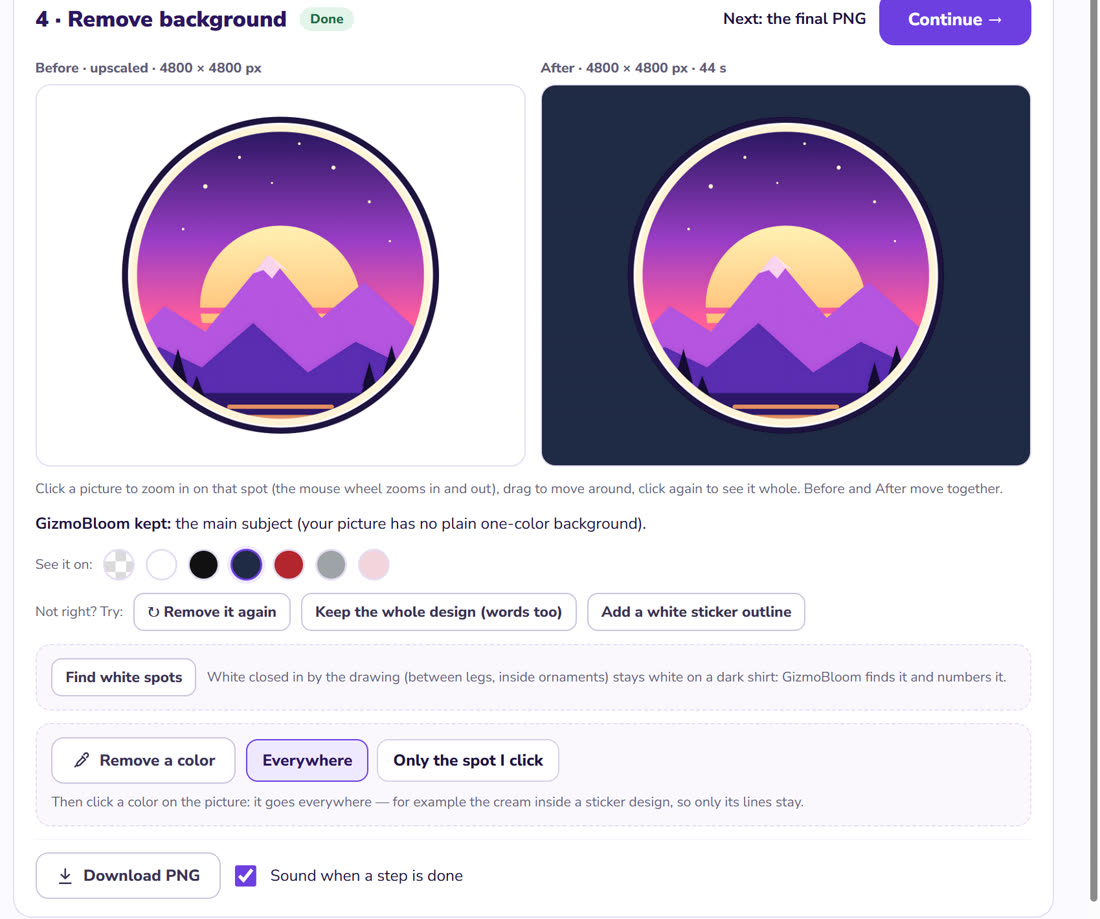
- GizmoBloom chooses by itself: on a plain background the whole design stays, words too; a photo keeps its main subject
- Thin hair and fur follow the real picture, and the faint halo of the old background is cleaned from the edges
- Find white spots: white closed in by the drawing — between legs, inside ornaments — is found and numbered; click one to remove it
- Remove a color everywhere, or only the spot you click — with Less, More and Undo
- Add a white sticker outline in one click
- See it on white, black, navy, red, heather gray and pink before you save, with Before and After zoomed together
Private, offline, with no fee per picture
- It runs on your own computer: your designs never leave it
- No credits and no monthly limit: remove the background of as many pictures as you like
- The AI model downloads once, the first time you use it; after that, no internet is needed
- It uses your computer's graphics chip when it can, and works on ordinary laptops (8 GB of memory or more is best)
- Designs made on a magenta or green screen are cut exactly, in a few seconds
- Many pictures at once, as transparent PNG files
How it works
Open the remover
Picture tools → Background remover — or step 4 of the Apparel studio for a T-shirt design.
Drop your picture
The background goes by itself; the words and small shapes of a design stay.
Touch up and save
Click a white spot or a color to remove it too, then press "Download PNG".
Questions about the background remover
Does it work without internet?
Yes. Its AI model downloads once, the first time you use it. After that, the background remover works offline.
Are my pictures uploaded anywhere?
No. Everything happens on your own computer: no uploads and no fee per picture.
Will it keep the text of my T-shirt design?
Yes: when your design is on a plain background, GizmoBloom keeps the whole design, words and small shapes too. If it ever cuts too much, press "Keep the whole design (words too)".
What file do I get?
A PNG with a transparent background, at the size of your picture — for print-on-demand sites, stickers and printables. For T-shirts, the Apparel studio also makes the 4500 × 5400 px print file.
Does it work for photos?
Yes: on a photo it keeps the main subject — a person, an animal, an object — with fine edges for hair and fur.
What computer do I need?
Windows 10 or 11. 8 GB of memory or more is best; on a smaller computer GizmoBloom uses a faster, lighter model.
Try the background remover free
Try every feature for 3 days, no card needed. Files made during the trial carry a small SAMPLE mark.
Also in GizmoBloom: the image upscaler for printing, the T-shirt design generator and the T-shirt mockup generator.