
PDF booklet maker and PDF tools
Booklets ready to fold, PDFs small enough for email, PDFs from pictures and new page sizes — on your own computer, with no uploads. Your PDF is never changed: each new PDF is a copy.
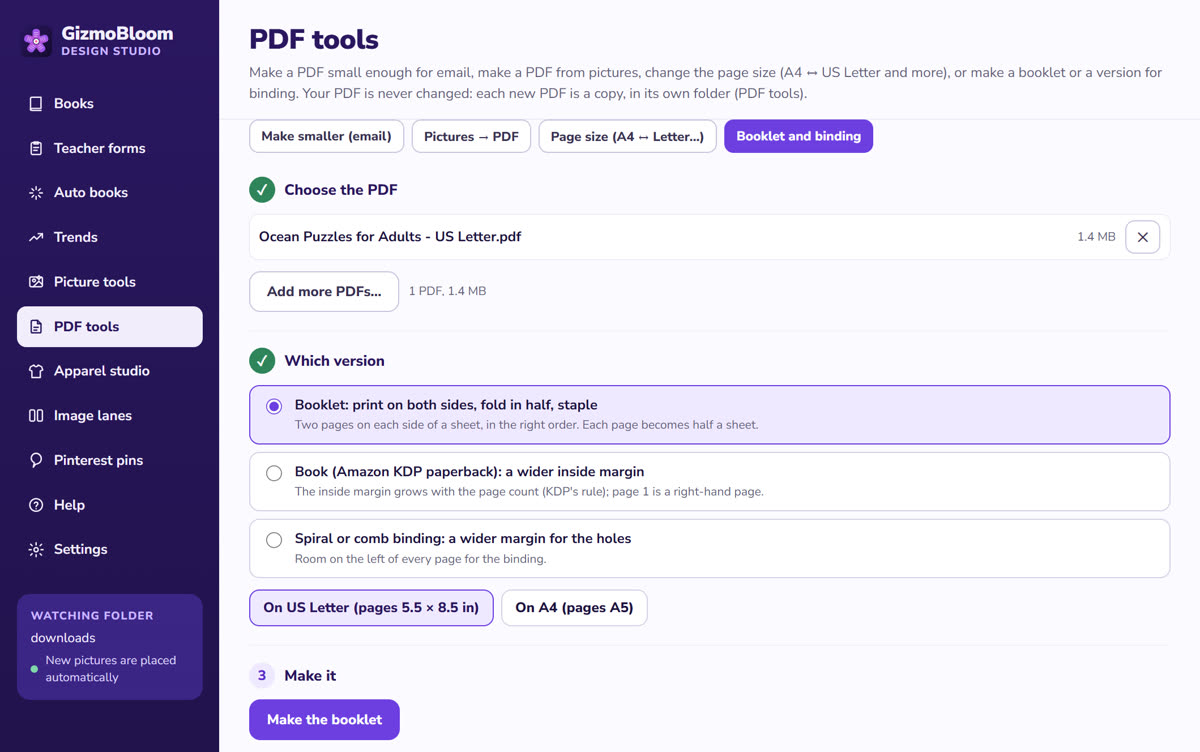
Booklet and binding Works offline
- Booklet: print on both sides, fold in half, staple — two pages on each side of a sheet, in the right order
- On US Letter (pages 5.5 × 8.5 in) or on A4 (pages A5)
- Book (Amazon KDP paperback): a wider inside margin that grows with the page count, and page 1 on the right
- Spiral or comb binding: room on the left of every page for the holes
- Several PDFs at once
Three more PDF tools
Smaller for email
Under 20 MB for Gmail: the pictures are made lighter step by step until the PDF fits, and text and lines stay sharp. Or smaller and still good to print (200 dpi), or smallest for screens.
Pictures → PDF
Collect pictures — or a whole folder of them — into one PDF, in the order you choose.
Page size
A4 ↔ US Letter, KDP trim sizes, cards and posters.
Questions about the PDF tools
Is my original PDF changed?
No: each new PDF is a copy, saved in Documents\GizmoBloom\PDF tools. Your PDF stays as it was.
How do I print a booklet?
Print the booklet PDF on both sides, fold the sheets in half and staple them in the middle: the pages come out in the right order.
Can it make a PDF small enough for Gmail?
Yes: "For email" makes it under 20 MB — the pictures are made lighter until it fits, while the text and lines stay sharp.
Can I change A4 to US Letter?
Yes, both ways — and to KDP trim sizes, cards and posters.
Does it work offline?
Yes: all the PDF tools work on your computer, without internet and without uploads.
Try the PDF tools free
Try every feature for 3 days, no card needed. Files made during the trial carry a small SAMPLE mark.
Also in GizmoBloom: the KDP coloring book maker, the puzzle book maker and editable teacher forms.