
Bulk mockup generator for print on demand
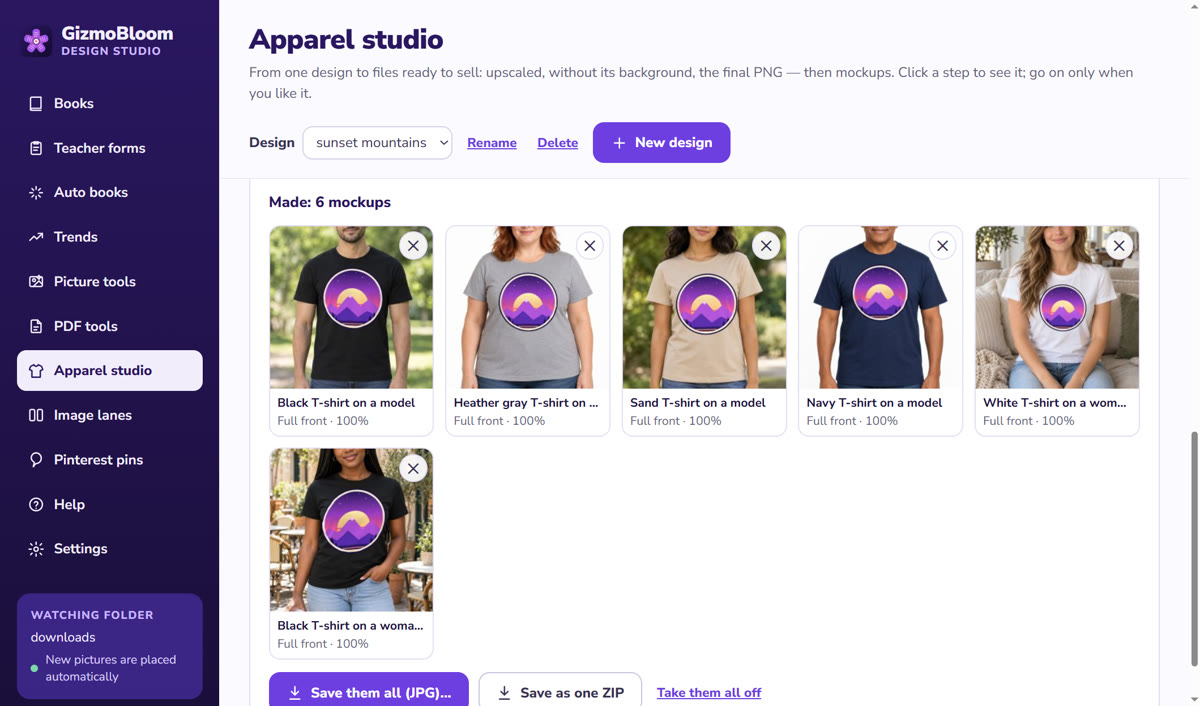
Choose your mockups once — black, white, heather gray, on men and women, in real places — and put several T-shirt designs on all of them at once. Saved as one folder per design, or one ZIP. On your own computer, with no Photoshop and no fee per mockup.
Many designs, many mockups Works offline
- Choose the mockups for one design: the print area, the print look (matte, glossy or vintage) and the shirt color
- "Use on several designs…": tick the other designs — every one goes on the same mockups, in the same place
- Each design follows the fabric's folds and shadows on every photo
- Saved as one folder per design with its JPG files, or as one ZIP with a folder per design
- No watermark on your plan, no upload and no fee per mockup
Why bulk mockups
A print-on-demand shop grows with collections: ten Halloween designs, twelve teacher shirts, a set of funny mugs. Making mockups one design at a time is the slow part — the same photos, the same settings, again and again. In GizmoBloom you set them once and make all of them in one go.
- The same look across a whole collection: buyers see a shop, not random pictures
- Ready for Etsy, Amazon Merch, Redbubble and your own store — or sent to Printify
- And a promo video from each design's mockups in one click
Your mockup library
Mockup photos found online often have licenses that limit what you can do. GizmoBloom works with your own library: your photos of blank garments, or blank-garment photos made with your own ChatGPT — GizmoBloom writes the prompts. T-shirts, hoodies, sweatshirts, tank tops, long sleeves, tote bags and mugs. More about the T-shirt mockup generator →
Questions about bulk mockups
How many designs can I make at once?
As many as you have in the Apparel studio: tick them all. Each mockup takes about a second or two on a normal computer.
Do I need Photoshop or smart objects?
No. GizmoBloom finds the print area on each photo and puts your design on it, following the folds and shadows — no templates to edit by hand.
Does it work offline?
Yes: the mockups are made on your computer, with no internet and no upload.
Are the mockups watermarked?
Not on a plan. During the 3-day free trial, the files carry a small SAMPLE mark.
Make a whole collection's mockups free
Try every feature for 3 days, no card needed. Files made during the trial carry a small SAMPLE mark.