
How to make a puzzle book for Amazon KDP, step by step
From the idea to the two files you upload: niche, puzzles, trim size, margins, answer keys, cover and royalties. Every KDP number comes from KDP's own help pages. It works with any tool — and at the end, you'll see the faster way with GizmoBloom.
1. Pick a niche and a reader
A puzzle book sells to a person, not to everyone. Decide who it is for before you make a single grid.
- The reader: kids 8–12, teens, adults, or seniors who want bigger print.
- The theme: a hobby, a season, a place or a holiday — ocean life, gardening, Christmas.
- The level: easy books relax, hard books challenge. Say the level on the cover.
- The shelf: open the best sellers for your idea on Amazon. Note their size, page count and price, and read what unhappy buyers say.
Niche + reader + puzzle type gives a clear title, like Ocean Word Search for Adults. KDP wants the title field to hold only your title, exactly as on the cover, without repeated generic keywords.
2. Choose the puzzle types
One type (all word search) is easy to explain. A mix keeps adults busy longer.
- Word search: the easiest to theme — the word list is the theme.
- Sudoku: needs no theme and has a clear easy-to-hard scale.
- Number search: a word search with numbers, liked by adults and seniors.
- Crossword: needs good clues, so it takes the most work.
- Mazes, word scrambles, sum puzzles: good for variety.
Every puzzle must work: each word findable, one path through each maze, exactly one solution for each sudoku. Broken puzzles bring bad reviews.
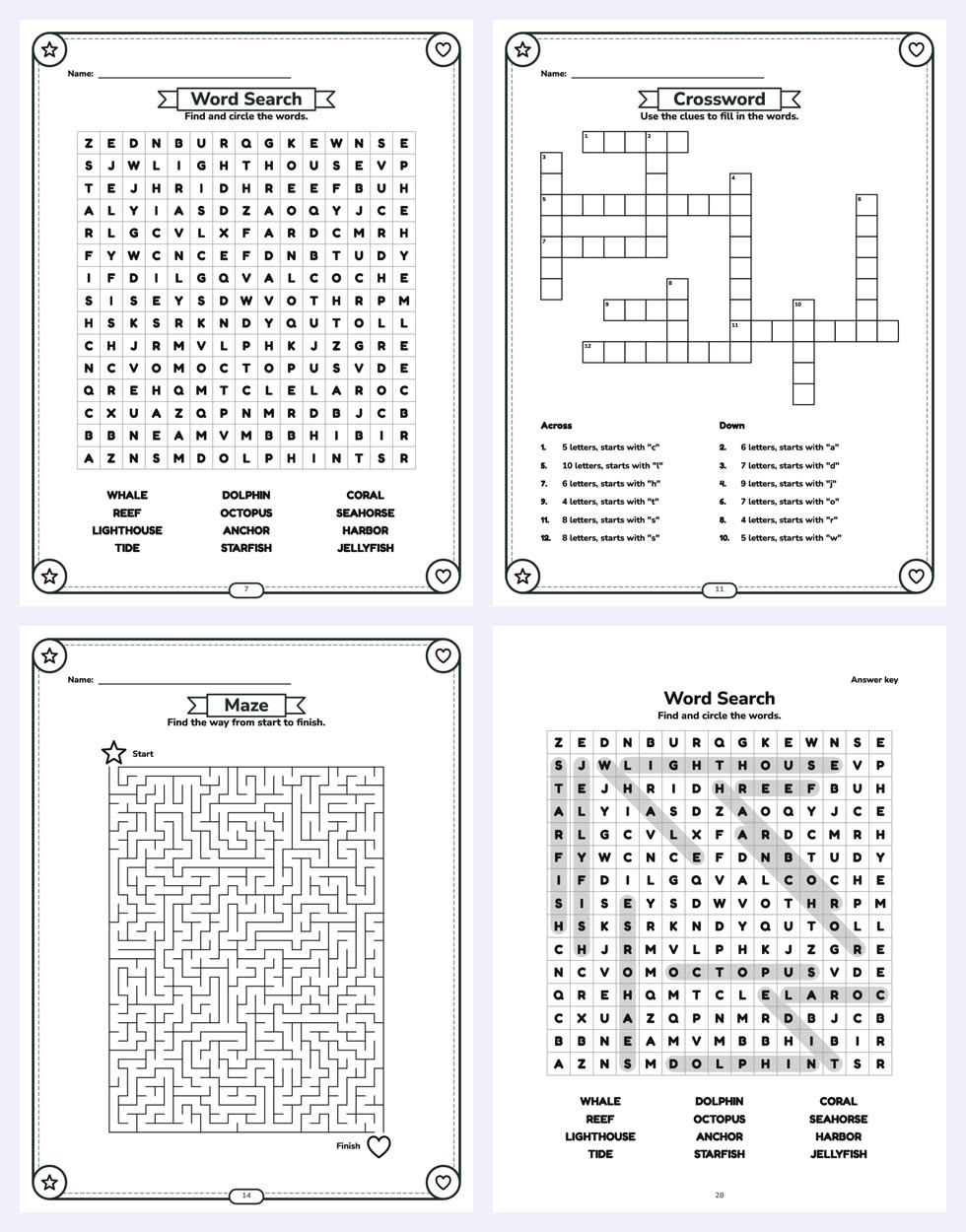
3. Choose the trim size: Amazon KDP book sizes for puzzle books
The trim size is the size of the printed book. KDP offers many paperback sizes; these four are common for puzzle books:
- 8.5 × 11 in: big grids and room for large print.
- 8 × 10 in and 8.5 × 8.5 in (square): a little smaller, still roomy.
- 6 × 9 in: easy to carry and cheaper to print, but the grids get small.
KDP calls a size "large" when it is wider than 6.12 in or taller than 9 in, so 8.5 × 11, 8 × 10 and 8.5 × 8.5 cost more to print than 6 × 9 (step 10). Choose the size first: margins, cover and page count depend on it.
Large print? Use 8.5 × 11, bigger grid cells, bold letters and one puzzle per page. If the cover says large print, the inside must really be large.
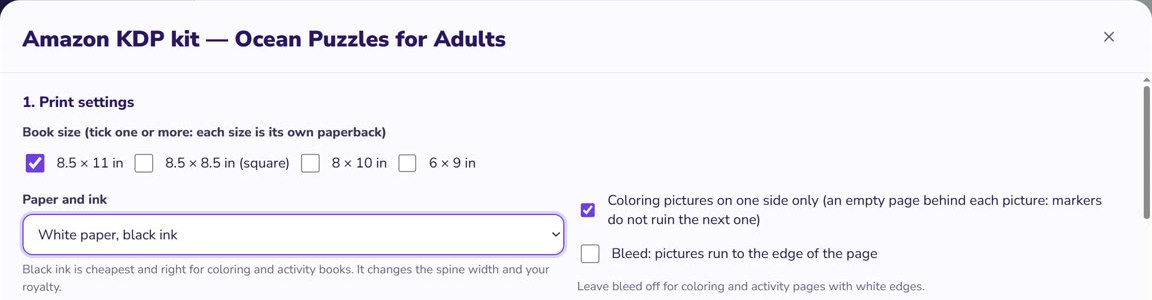
4. Decide on bleed
Bleed means the ink runs to the very edge of the page. Most puzzle pages don't need it.
- No bleed: each PDF page is the trim size, for example 8.5 × 11 in.
- Bleed: each page is 0.125 in wider and 0.25 in taller (8.625 × 11.25 in for 8.5 × 11), and anything that touches the edge goes 0.125 in past the trim line. Upload it as a PDF.
- If even one page needs bleed, set up the whole file with bleed.
- The cover always has bleed.
5. Set the margins and the gutter
The gutter is the inside margin, where the pages meet the spine. KDP's minimum grows with the page count:
- 24 to 150 pages: 0.375 in
- 151 to 300 pages: 0.5 in
- 301 to 500 pages: 0.625 in
- 501 to 700 pages: 0.75 in
- 701 to 828 pages: 0.875 in
The top, bottom and outside margins must be at least 0.25 in without bleed, or 0.375 in with bleed. Keep page numbers, titles and every grid line inside them — check your widest grid.
6. Plan the page count
A KDP paperback needs at least 24 pages (72 with standard color ink), and KDP rounds an odd page count up to an even one. Count the title and copyright pages, the "How to play" pages, the puzzles and the answers.
Example: 40 puzzle pages + 40 answer pages + 4 "How to play" pages + 2 front pages = 86 pages. Avoid long runs of empty pages: KDP's previewer flags too many blank pages in a row.
7. Add "How to play" pages and answer keys
Buyers expect the answers. Put them at the back, so nobody sees one by accident.
- One answer page per puzzle page, or several small answers per page. Number each like its puzzle.
- Make each answer from the same puzzle file. Copying answers by hand is where mistakes start.
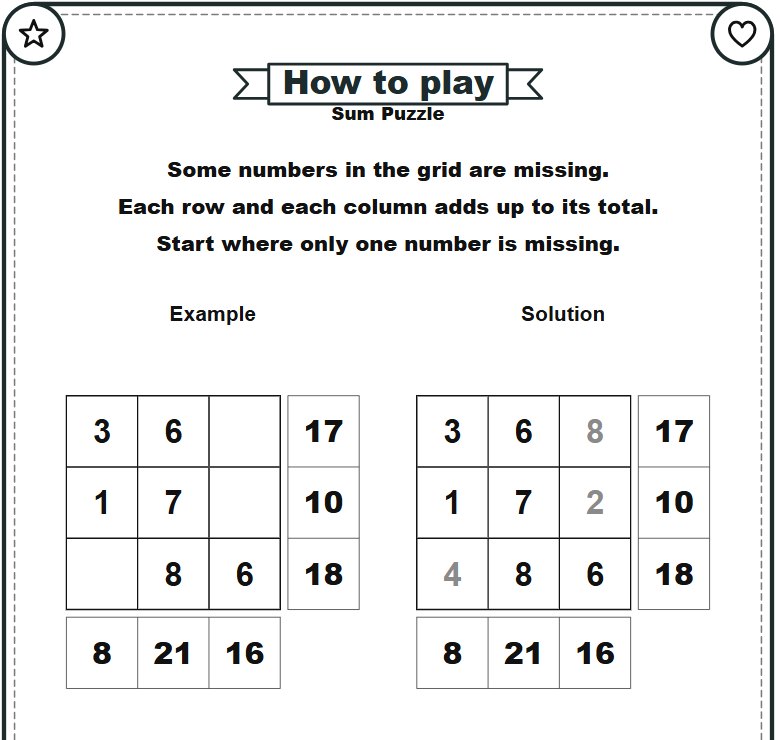
- A "How to play" page before a game helps new players: the rules in a few lines and a small solved example.
- Show the level (easy, medium, hard) on each page and let it grow through the book.
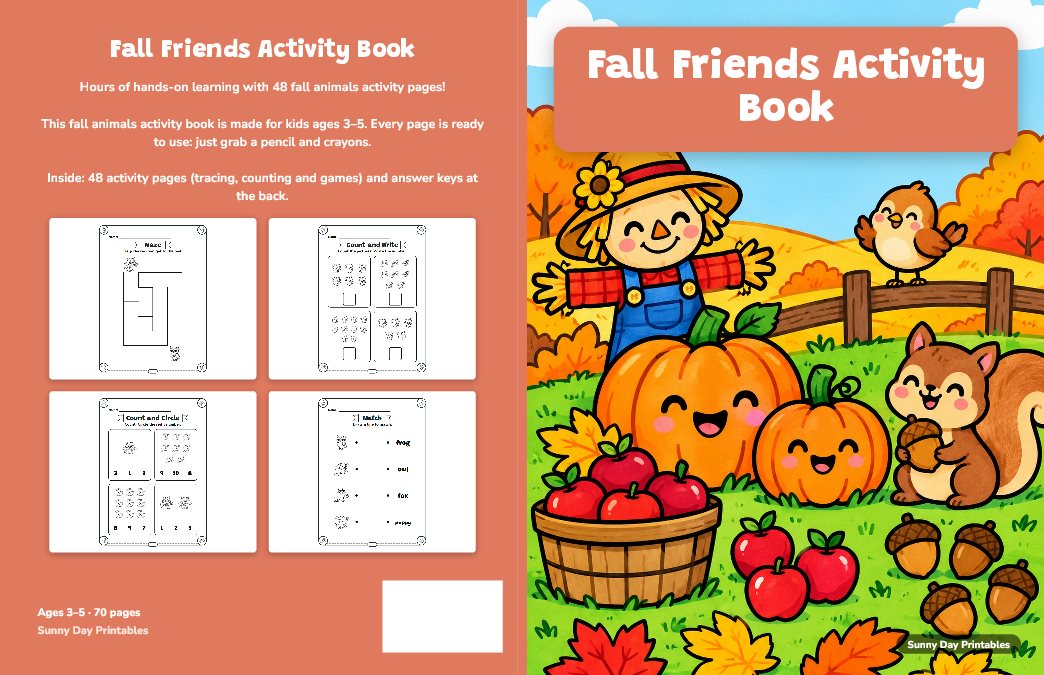
8. Make the cover and the spine
A KDP paperback cover is one PDF page: back cover, spine and front cover side by side, with 0.125 in of bleed on the outer edges.
- Width = bleed + back + spine + front + bleed. Height = bleed + trim height + bleed.
- Spine = page count × 0.002252 in on white paper (× 0.0025 in on cream).
- Example: 8.5 × 11 in, 100 white pages → a 0.225 in spine and a 17.475 × 11.25 in cover.
- Spine text only from 80 pages (KDP: more than 79 pages), at least 0.0625 in from the spine's edges.
- Cover text at least 0.125 in inside the trim lines; pictures at 300 DPI or more.
- KDP prints a barcode on the back cover when you don't provide one: keep the lower right corner of the back empty.
Only need the numbers? Use the free KDP spine width calculator.
9. Low-content or not?
KDP has a "low-content" setting for books like notebooks, planners and log books. Its help page lists puzzle books as not generally low-content, because their pages are not repetitive. So most puzzle books are published as regular books — and low-content books can't get a free KDP ISBN or use Expanded Distribution.
- Title and subtitle together must stay under 200 characters and match your cover.
- Keywords must describe what is really in the book.
- KDP asks you to declare AI-generated text, images (the cover included) and translations.
10. Price it and check the print preview
KDP prints each copy on demand. Your royalty on Amazon.com is royalty rate × list price − printing cost.
- Rate: 50% for a list price of $9.98 or less, 60% from $9.99.
- Printing, black ink: up to about 110 pages, a flat $2.30 for a regular trim like 6 × 9, or $2.84 for a large trim like 8.5 × 11. Longer books: $1.00 plus $0.012 a page (regular) or $0.017 a page (large).
- Example: a 100-page 8.5 × 11 book at $7.99 earns 50% × $7.99 − $2.84 = about $1.16. At $9.99: 60% × $9.99 − $2.84 = about $3.15.
These are KDP's numbers in October 2026. They change: check KDP's calculator before you publish.
Then upload both PDFs and open KDP's Print Previewer. It flags content outside the margins, fonts not embedded, low-resolution images, too many blank pages and spine text on a thin book. Check every page yourself too, answers included. KDP also reviews your files after you submit, and you can order a printed proof copy first.
What a good KDP puzzle generator does
By hand, with free generators or with an app, check these points:
- Puzzles that work, and answer keys made from the same puzzles.
- Terms that let you sell the pages — read them before you use a free tool.
- Pages at your exact trim size, with fonts embedded and margins KDP accepts.
- Easy to hard levels, your theme's own words, and enough variety to fill 100 pages.
Selling the same puzzles as a printable too? See how to make a printable PDF booklet. To bring buyers to your book, see how to bulk upload pins to Pinterest.
Make it faster with GizmoBloom, a KDP puzzle book maker Works offline
GizmoBloom is a Windows app for print-on-demand sellers. Its puzzle book maker does steps 2 to 8 for you, on your computer. The puzzles need no AI account.
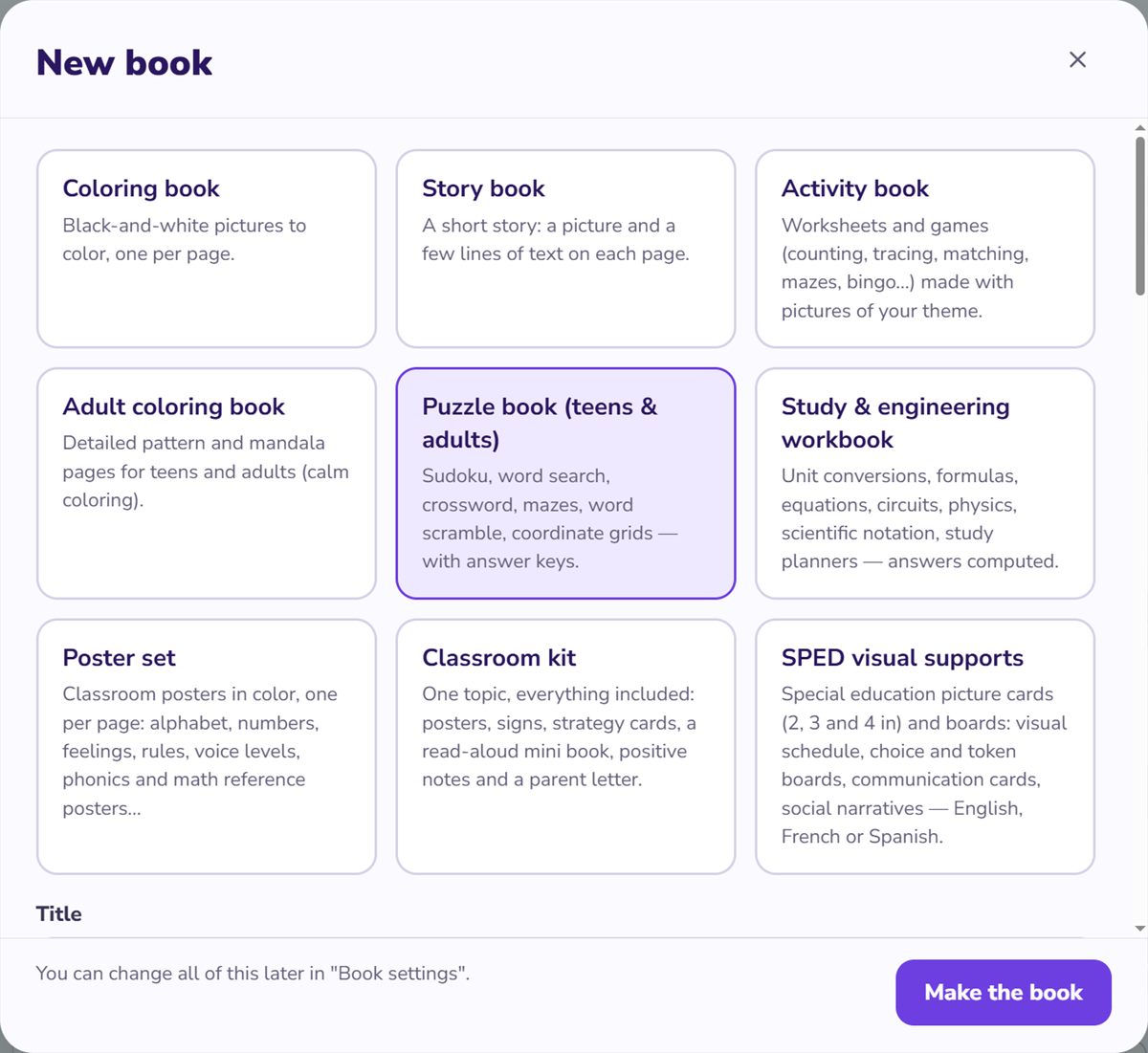
- Books → New book → Puzzle book (teens & adults): sudoku, word search, number search, sum puzzles, crossword, mazes, word scramble and coordinate grid pages, added for you. Change how many, their order, or remove any.
- Sudoku in 4 × 4, 6 × 6 or 9 × 9, each checked to have exactly one solution.
- Sudoku, word search, number search, sum puzzles and mazes go from easy to medium to hard, with the level on each page.
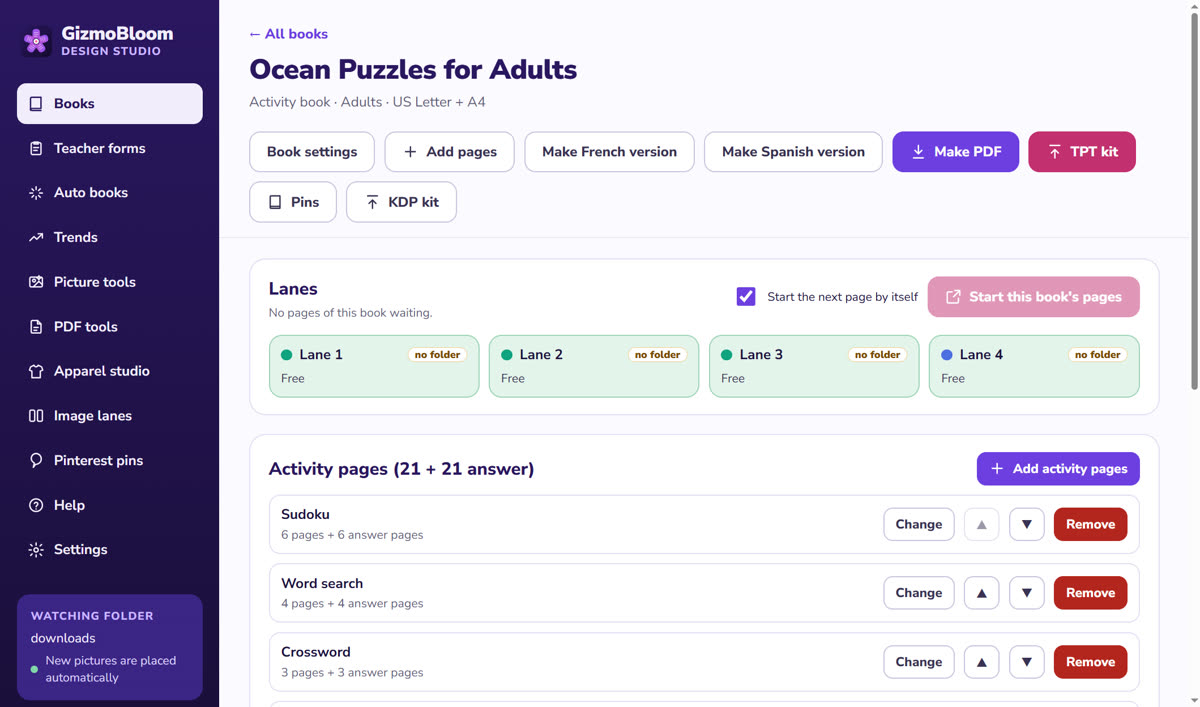
- "How to play" pages, an answer page for every puzzle page at the end, and a "Solutions only" PDF.
- Your theme words go into the word search and the crossword.
- An Arabic puzzle book too. KDP does not print Arabic paperbacks, so sell it as a printable PDF.
Then the KDP kit
- The interior for 8.5 × 11, 8.5 × 8.5, 8 × 10 or 6 × 9 inches, each size its own paperback, with the gutter for your page count and bleed on or off.
- An even page count, and a clear message when a book has fewer than 24 pages.
- The wrap cover PDF at the exact size, with bleed, a white box for the barcode and spine text from 80 pages.
- The printing cost and your royalty for your price, large trims included.
- A listing with title, subtitle, description and 7 keywords, plus the A+ pictures.
- It never logs in to your KDP account: you upload the files yourself.
Questions about KDP puzzle books
What is the best trim size for a KDP puzzle book?
8.5 × 11 inches is a popular choice: big grids and room for large print. 6 × 9 inches suits travel-size books and costs less to print (a regular trim for KDP).
How many pages does a KDP puzzle book need?
At least 24 pages (72 with standard color ink), and an even number: KDP rounds an odd count up. Count the answer and "How to play" pages too.
Is a puzzle book a low-content book on KDP?
Usually not. KDP lists puzzle books as "not generally low-content". Low-content is for books like notebooks, planners and log books.
Can I create puzzle books for free?
Yes, with time: by hand, or with free generators whose terms let you sell the pages. KDP takes the printing cost out of each sale. GizmoBloom's 3-day trial is free, no card; trial files carry a small SAMPLE mark, so selling them needs a plan.
Should a puzzle book have answer keys?
Yes. Buyers expect them, and they let a stuck player check one grid without spoiling the rest. Put them at the back, numbered like their puzzles.
When can I put text on the spine?
KDP prints spine text only on books with more than 79 pages, so from 80 pages. On white paper, 80 pages make a spine of about 0.18 inch.
Make your first puzzle book free
Try every feature for 3 days, no card needed. Files made during the trial carry a small SAMPLE mark. Plans start at $14.99 a month.
More guides: print a PDF booklet, bulk upload pins to Pinterest and turn a picture into a crochet pattern. All guides →