
How to make a coloring book for KDP, step by step
This guide covers how to make a coloring book for KDP and how to publish it on Amazon: the theme, the pages, the trim size, the margins, the cover, the printing cost and the rules on AI and copyright. Every KDP number comes from KDP's own help pages. It works with any tool, and at the end you'll see the faster way with GizmoBloom.
The short version: pick one theme and one reader. Make black-line pictures at 300 DPI. Put them in a PDF at your trim size, with KDP's margins. Make one cover PDF with the right spine. Tell KDP about any AI pictures, stay away from famous characters, then upload both files and check every page in KDP's previewer.
The 11 steps
- Pick a theme and a reader
- Make the coloring pages
- Choose the trim size
- Choose the paper and ink
- Print on one side and plan the page count
- Set the bleed and margins
- Make the cover and spine
- Follow the AI, copyright and trademark rules
- Write the listing
- Work out the printing cost and price
- Publish on KDP
1. Pick a theme and a reader
A coloring book sells to a person, not to everyone. Decide who it is for before you make a single picture.
- The reader: toddlers, kids, teens, adults or seniors. The reader sets how thick the lines are and how much detail each page has.
- The theme: an animal, a hobby, a season or a holiday. "Farm animals for toddlers" is clearer than "cute things".
- The shelf: open the best sellers for your idea on Amazon. Note their size, page count and price, and read what unhappy buyers say.
- The words: check what buyers really type, in Amazon's search box or with a KDP keyword research tool.
Theme + reader gives a clear title, like Farm Animals Coloring Book for Toddlers.
2. Make the coloring pages
You have three ways to get the pictures: draw and scan them, pay an illustrator and get the right to sell them in writing, or use an AI tool and declare it (step 8). Whichever you choose, each page needs the same things:
- Black lines on white: no specks, and no gray unless you want it.
- Closed shapes: gaps in an outline make a page harder to color.
- The right level: thick lines and big shapes for young kids, fine detail for adults.
- Real variety: a new scene on each page. KDP does not allow content that typically disappoints customers, and near-copies of one picture will disappoint.
- One picture per page: KDP wants single pages, not spreads. This picture shows two pages side by side only because it is a home-printed booklet sheet.
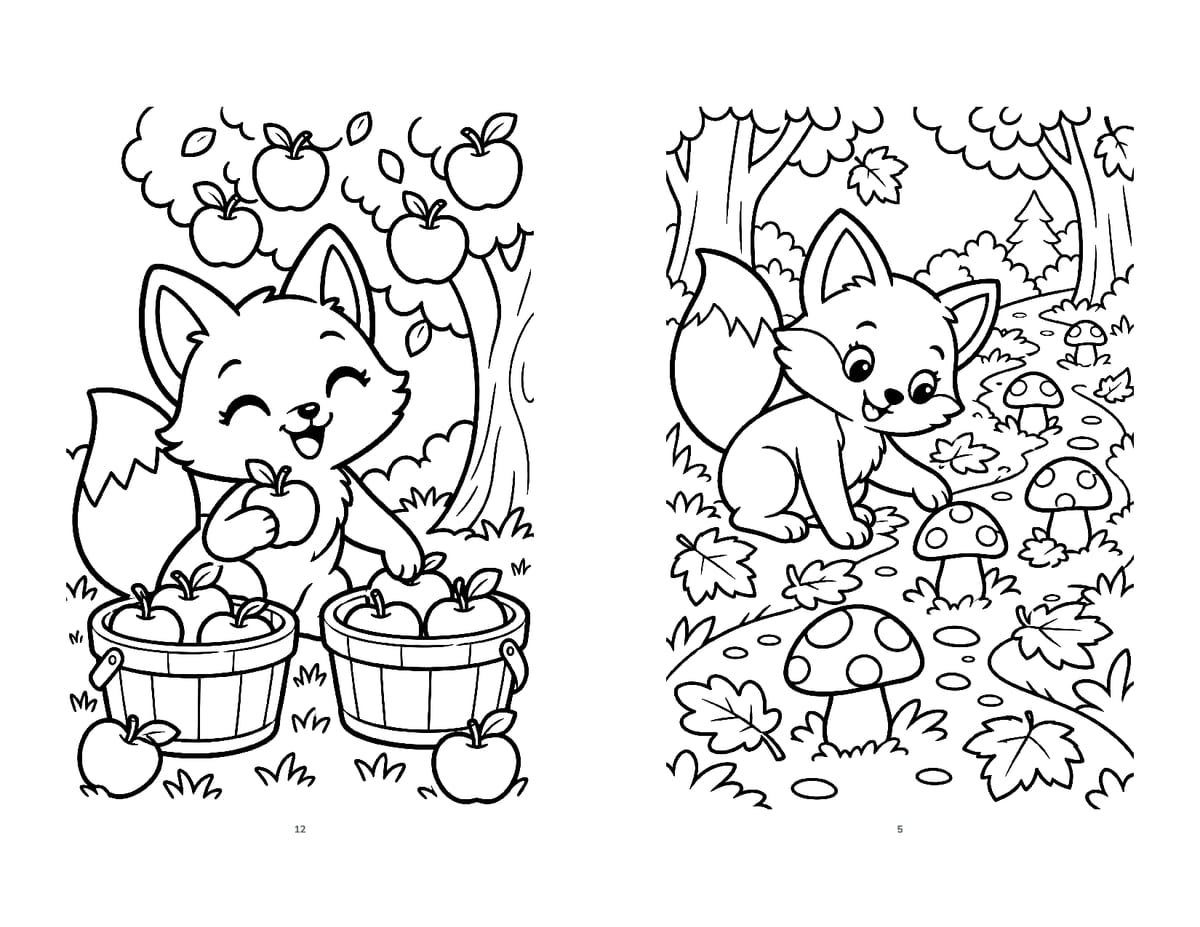
Picture size matters. KDP asks for at least 300 DPI inside the book. To check a picture, divide its pixels by its printed inches. A full 8.5 × 11 in page at 300 DPI is 2550 × 3300 pixels, while a picture 1,024 pixels wide prints only about 3.4 in wide at 300 DPI.
KDP says not to enlarge images after you insert them, because that lowers their resolution. Make small pictures bigger first with an image upscaler for printing, then check that the lines stay sharp. KDP recommends no more than 600 DPI, to keep the file under 650 MB.
3. Choose the trim size: KDP coloring book sizes
The trim size is the size of the printed book. KDP has no special sizes for coloring books: you choose from its normal paperback sizes, in inches.
- Regular sizes: 5 × 8, 5.06 × 7.81, 5.25 × 8, 5.5 × 8.5 and 6 × 9.
- Large sizes: 6.14 × 9.21, 6.69 × 9.61, 7 × 10, 7.44 × 9.69, 7.5 × 9.25, 8 × 10, 8.25 × 6, 8.25 × 8.25, 8.27 × 11.69, 8.5 × 8.5 and 8.5 × 11.
Coloring needs room, so start with these four:
- 8.5 × 11 in: plenty of room for each picture.
- 8 × 10 in: a little smaller, still roomy.
- 8.5 × 8.5 in (square): suits mandalas and round patterns.
- 6 × 9 in: easy to carry and cheaper to print, but the pictures get small.
KDP calls a size "large" when it is wider than 6.12 in or taller than 9 in, and large sizes cost more to print (step 10). Choose the size before you make the pictures: a tall picture will not fill a square page.
4. Choose the paper and ink
For most coloring books the choice is simple: black ink on white paper. The buyer adds the color.
- Black ink: the lowest printing cost. Pay for color ink only if a picture inside must print in color, such as a colored-in example.
- White paper: 50 to 61 lb (74 to 90 GSM). Black lines stand out and colors look true.
- Cream paper: the same weight and printing cost, with a slightly thicker spine.
- Groundwood paper: KDP's newer choice, lighter at 45 lb (60 GSM), with printing about 5% cheaper per page. Test it with markers before you choose it for coloring.
- Premium color paper: heavier at 60 to 71 lb (88 to 105 GSM), but the printing cost is far higher (step 10).
KDP says paper weight varies by printing location, and it recommends a proof to check your ink and paper. Order one (step 11) and try your own markers, crayons and pencils on it.
5. Print on one side and plan the page count
Markers can soak through paper. To protect the next picture, put each picture on a right-hand page and leave the page behind it empty. Printing on both sides fits more pictures in the same page count, but a marker on one picture can spoil the one behind it.
- Right-hand pages have odd numbers, so one-sided pictures sit on pages 5, 7, 9 and so on.
- Blank pages: KDP allows no more than 4 blank pages in a row at the start or in the middle of the file, and 10 in a row at the end. One empty page behind each picture stays inside that limit.
- Minimum: 24 pages (72 with standard color ink). KDP rounds an odd page count up to an even one.
- Say so in your description: "printed on one side" is a real benefit to anyone who colors with markers.
Example: 40 pictures on one side = 80 pages. Add a title page and its empty back, a "This book belongs to" page and its empty back, and a copyright page: 85 pages. KDP rounds that up to 86.
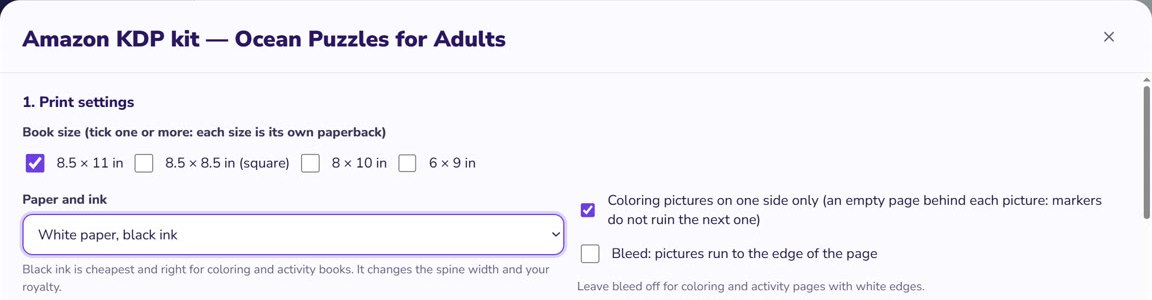
6. Set the bleed and margins: your KDP coloring book template
A KDP coloring book template is simply a page at your trim size with KDP's margins marked on it. KDP's help offers general Word templates, not one made for coloring books, so here are the numbers to set up your own.
- No bleed, for pages with a white edge: each PDF page is the trim size, for example 8.5 × 11 in.
- Bleed, for pictures that run to the edge: each page is 0.125 in wider and 0.25 in taller (8.625 × 11.25 in for 8.5 × 11), and the art goes 0.125 in past the trim line. If even one page needs bleed, set up the whole file with bleed and upload a PDF.
- Inside margin (gutter), where the pages meet the spine: 0.375 in for 24 to 150 pages, 0.5 in for 151 to 300, 0.625 in for 301 to 500. It keeps growing for longer books.
- Top, bottom and outside margins: at least 0.25 in without bleed, or 0.375 in with bleed.
Example: on an 8.5 × 11 in page of an 86-page book without bleed, keep the picture inside a box of 7.875 × 10.5 in. The gutter changes sides: it is on the left of right-hand pages and on the right of left-hand pages.
Want a ready file? KDP's manuscript templates are Word files, and the blank ones have the page size and margins set for each trim size. Without bleed KDP also takes Word files, but a PDF keeps your pages as you made them. Embed your fonts, and keep any text at 7 points or larger.
7. Make the cover and the spine
A KDP paperback cover is one PDF page: back cover, spine and front cover side by side, with 0.125 in of bleed on the outer edges. KDP's Cover Creator can also make a simple cover for you.
- Width = bleed + back + spine + front + bleed. Height = bleed + trim height + bleed.
- Spine = page count × 0.002252 in on white paper (× 0.0025 in on cream). For groundwood paper, use KDP's cover calculator.
- Example: 8.5 × 11 in, 86 white pages → a 0.194 in spine and a 17.444 × 11.25 in cover.
- Spine text: KDP prints it only on books with more than 79 pages, so plan on 80 or more, with at least 0.0625 in clear on each side. On a 0.194 in spine that leaves about 0.07 in for the letters, so keep it short or leave the spine blank.
- Safe area: cover text at least 0.125 in inside the trim lines, and pictures at 300 DPI or more.
- Barcode: if you don't supply one, KDP prints it in a 2 × 1.2 in white box at the lower right of the back cover. Keep that corner empty.
- Finish: glossy is shiny and matte has minimal sheen. KDP says the finish does not change the printing cost.
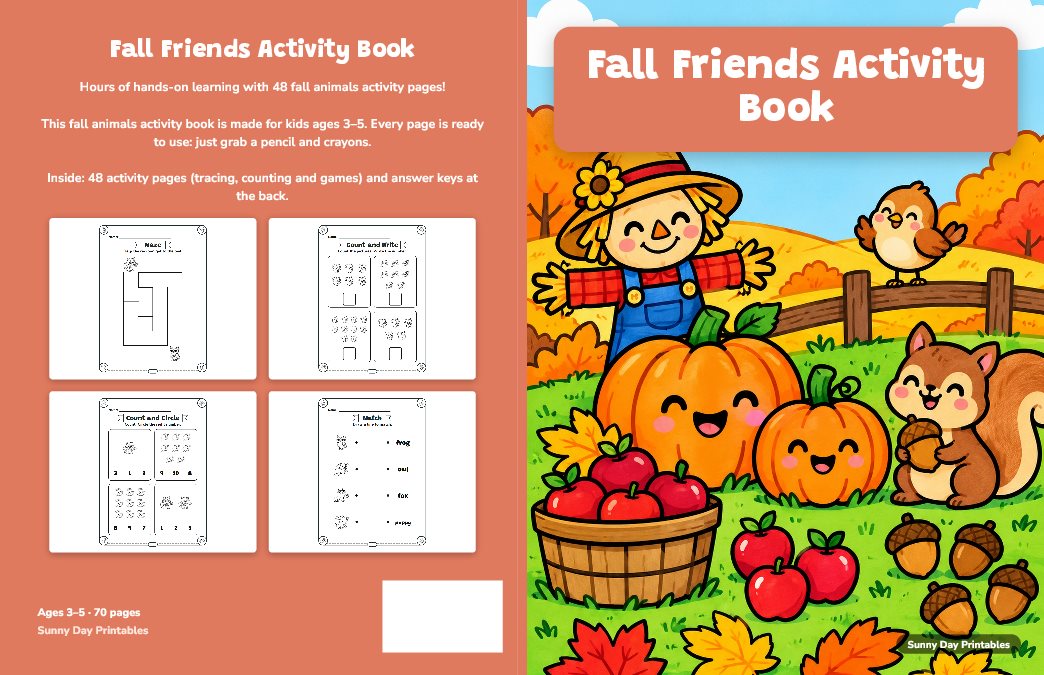
Show buyers what is inside: a colored-in picture on the front and a few page previews on the back. The title on the cover must match the title you type into KDP.
Only need the numbers? Use the free KDP spine width calculator. KDP's own cover calculator also gives you a template to design on.
8. Follow the AI, copyright and trademark rules
This step can get a finished book rejected or removed, so read it before you make your pictures.
AI-generated content must be disclosed. KDP's content guidelines require you to tell KDP about AI-generated text, images and translations when you publish a new book or republish an edited one.
- AI-generated: an AI tool created the picture. This covers cover and interior images, and a picture stays AI-generated even if you edit it heavily afterwards. You must declare it.
- AI-assisted: you created the picture yourself and used AI only to improve or check it, or only to brainstorm ideas. You don't have to declare it.
- Your job either way: KDP makes you responsible for checking that AI content follows its guidelines.
- Check every AI picture: extra fingers, broken lines and garbled letters print exactly as they are.
You need the right to publish every page. KDP requires you to hold the publishing rights to what you upload. It may ask for documents, and it says the copyright page in your own book is not enough proof.
- Characters and brands: don't use cartoon, movie, game or toy characters, superheroes, team logos or brand names without permission. Redrawing a character by hand, or asking an AI tool for it, does not make it yours.
- Famous people: leave out their names and faces unless you have permission.
- Other people's art: don't copy pages from other coloring books or pictures found online. "Free to download" does not mean free to sell, so read the license of any clip art or image pack.
- Old art: public domain content is allowed, but KDP may ask for proof, and the length of copyright differs between countries.
KDP says that uploading content you have no rights to can lead to rejection or removal of your book, harm to your account status and loss of royalties. Before you publish, paste your title and description into the free trademark checker. It catches the words sellers get in trouble with most, but a word it does not flag can still be protected. This is general information, not legal advice.
9. Write the listing
Low-content or not? KDP has a "low-content" setting for repetitive books that the user fills in, like notebooks, planners and log books. Its help page lists coloring books as not generally low-content, while noting that there can be exceptions. So most coloring books are published as regular books. That matters: low-content books can't get a free KDP ISBN or use Expanded Distribution. If your book really is low-content, you must tick that box, or KDP rejects it.
- Title: only your title, as on the cover, without repeated generic keywords. Title and subtitle together must stay under 200 characters.
- Keywords: up to 7 keywords or short phrases. Skip words already in your title. Never use brands you are not allowed to use, other authors' names or claims about quality. A KDP keyword research tool shows the phrases buyers search for.
- Description: say what is inside, who it is for and whether the pictures are on one side. No reviews, contact details, prices or ads.
- Categories: up to 3, and each must fit the book.
- Reading age: optional, but without it a children's book may miss children's categories and age searches.
10. How much does it cost to print a book on KDP?
Nothing up front. Publishing is free, KDP prints each copy on demand, and it takes the printing cost out of your royalty. Your royalty on Amazon.com is royalty rate × list price − printing cost.
- Black ink, 24 to 110 pages: a flat $2.30 for a regular size like 6 × 9, or $2.84 for a large size like 8.5 × 11.
- Black ink, longer books: $1.00 plus $0.012 a page (regular) or $0.017 a page (large). A 150-page 8.5 × 11 book costs $3.55.
- Color ink costs more: the 86-page 8.5 × 11 book costs $2.84 in black ink, about $4.46 in standard color and $7.88 in premium color.
- No extra cost: bleed and cover finish do not change the printing cost.
- Royalty rate: 50% for a list price of $9.98 or less, 60% from $9.99.
- Lowest price: printing cost ÷ royalty rate. For a $2.84 book at 50%, that is $5.68, and at that price you earn nothing.
- Example: 86 pages, 8.5 × 11 in, black ink. At $7.99: 50% × $7.99 − $2.84 = about $1.16. At $9.99: 60% × $9.99 − $2.84 = about $3.15.
These are KDP's numbers for Amazon.com in November 2026. They show the math per copy sold, not what a book will earn. Other Amazon stores have their own costs. Try your own book in the free KDP royalty calculator, then confirm it in KDP's calculator before you publish.
11. How to publish a coloring book on KDP
First finish setting up your KDP account. Then go to your Bookshelf, click + Create and choose a paperback. The form has three parts:
- Details: the title, author name, description, keywords and categories.
- Content: your ISBN (KDP offers a free one, which works only with KDP), then the ink, paper, trim size, bleed and cover finish, all matching your files. Upload the interior and the cover, then press Launch Previewer. This step is required.
- Rights & Pricing: your territories, your list price and KDP's terms.
During setup KDP also asks about AI-generated content: answer truthfully (step 8). The previewer checks the margins, cover size and fonts, and it shows the errors you must fix. Look at every page yourself too. Then:
- Order a proof: after you approve the book in the previewer, open the "…" menu on your Bookshelf and click Request Printed Proofs. You can order up to 5 at a time.
- Publish: KDP checks your files by hand after you submit, and you can't change the book while it is in review.
- Wait: KDP gives 3 business days as the time to go live, and up to 6 days for an account with no published book yet. It can take up to 72 hours more to show in search results.
What a good KDP coloring book generator does
A KDP coloring book generator can save a lot of time, but some tools make only the pictures, and a book needs more than pictures. Before you rely on one, check these points:
- Terms that let you sell the pictures in a printed book. Read them before you use a free tool.
- Clean black lines, at a size that reaches 300 DPI on your page.
- Pictures that really differ from page to page, in one matching style.
- A PDF at your exact trim size, in single pages, with margins KDP accepts.
- A wrap cover with the right spine for your page count and paper.
No tool removes your own part: you still declare AI pictures, check every page and answer for what you publish.
Adding puzzles too? See how to make a puzzle book for KDP. Selling the same pages as a printable? See how to make a printable PDF booklet. To bring buyers to your book, see how to bulk upload pins to Pinterest.
Make it faster with GizmoBloom, a KDP coloring book maker
GizmoBloom is a Windows app for print-on-demand sellers. Its KDP coloring book maker takes you from your idea to the files you upload. You need Windows 10 or 11, Chrome or Edge, and your own ChatGPT or Gemini account for the pictures. Free plans work.
- Books → New book → Coloring book, or Adult coloring book for detailed patterns and mandalas.
- Choose the age and the theme: GizmoBloom writes the page plan, or you type your own page ideas.
- It writes the prompt for every picture and opens it in your own account. When you download a picture, it goes to its page by itself.
- Link several accounts and they all draw at the same time.
- Coloring pictures are enlarged and cleaned into black lines on white.
- Every book gets a "This book belongs to" page and page numbers.
These pictures are AI-generated, so check each one and declare them to KDP. Watch parts 3 and 5 of the Complete Guide to see it step by step.
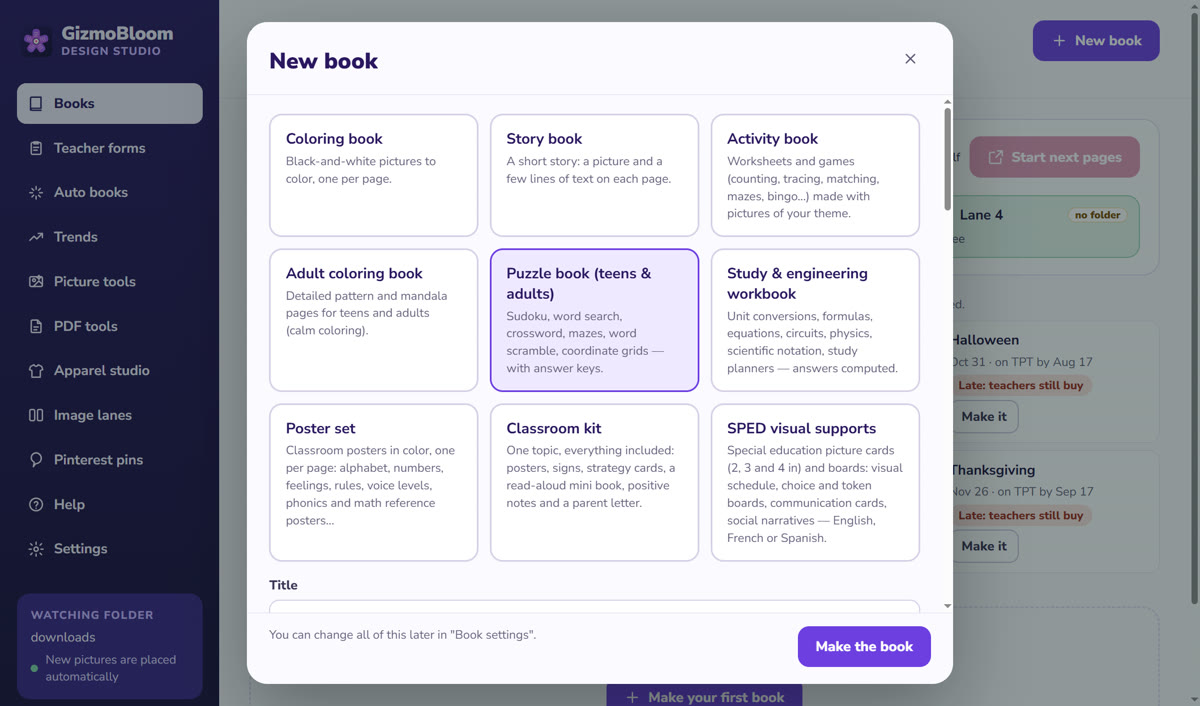
Then the KDP kit
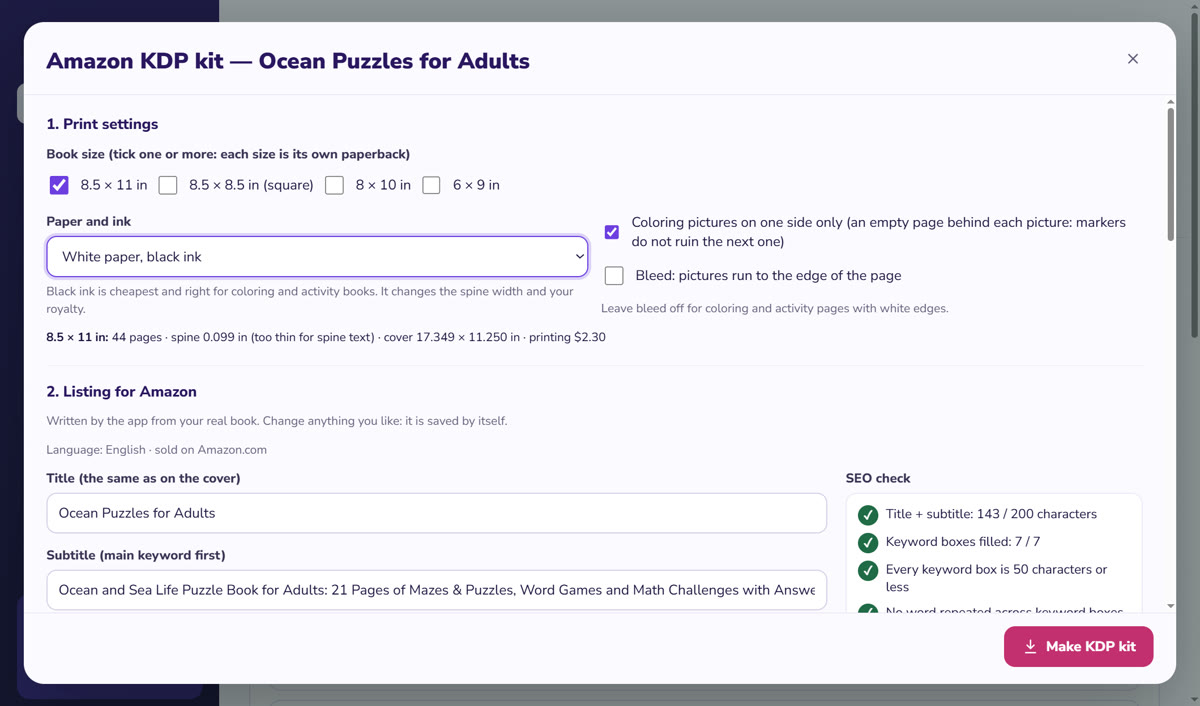
- The interior for 8.5 × 11, 8.5 × 8.5, 8 × 10 or 6 × 9 inches, each size its own paperback, with the gutter for your page count and bleed on or off.
- Coloring pictures on one side only, with an empty page behind each. Untick it to print on both sides.
- White or cream paper with black ink, or color ink: the spine width follows your choice.
- An even page count, and a clear message when a book has fewer than 24 pages.
- The wrap cover PDF at the exact size, with bleed, a white box for the barcode and spine text from 80 pages.
- The printing cost and your royalty for your price, for black ink. For color ink, use KDP's calculator.
- A listing with title, subtitle, description, 7 keywords, categories and reading age, with a warning on brands and characters, plus the A+ pictures.
- The answer to KDP's question about AI-generated content for your book.
- It never logs in to your KDP account: you upload the files yourself.
Questions about KDP coloring books
How do I make a coloring book for KDP?
Choose a theme and a reader, make black-line pictures at 300 DPI or more, and place them in a PDF at your trim size with KDP's margins. Then make a one-page cover PDF with the right spine width and upload both files to KDP.
How do I publish a coloring book on KDP?
On your KDP Bookshelf, click + Create and choose a paperback. Fill in the details, choose your print options, upload the interior and cover, check them in the previewer, set your price and publish. KDP gives 3 business days as the time to go live, and up to 6 days for an account with no published book yet.
What are the best KDP coloring book sizes?
KDP has no size just for coloring books. 8.5 × 11 inches gives plenty of room, 8 × 10 is a little smaller, 8.5 × 8.5 suits mandalas and round patterns, and 6 × 9 costs less to print but makes the pictures small.
Is there a KDP coloring book template?
KDP offers general Word templates by trim size, and a cover calculator that gives you a cover template for your book, but not a template made for coloring books. An interior template is simply a page at your trim size with KDP's margins marked on it.
How much does it cost to print a book on KDP?
On Amazon.com, a black ink paperback of 24 to 110 pages costs a flat $2.30 at a regular size like 6 × 9, or $2.84 at a large size like 8.5 × 11. Longer books cost $1.00 plus $0.012 or $0.017 a page. You pay nothing up front: KDP takes it out of your royalty. The numbers change, so check KDP's calculator.
Is a coloring book low-content on KDP?
Usually not. KDP lists coloring books as "not generally low-content", while noting that there can be exceptions. Low-content is for repetitive books that the user fills in, like notebooks, planners and log books.
Do I have to tell KDP my coloring pages were made with AI?
Yes, if an AI tool created them. KDP requires you to disclose AI-generated text, images and translations, including cover images, even if you edited them heavily afterwards. You don't have to disclose AI-assisted content that you created yourself.
How many pages does a KDP coloring book need?
At least 24 pages (72 with standard color ink), and an even number: KDP rounds an odd count up. With pictures on one side, each picture uses 2 pages, and one blank page at a time stays inside KDP's limit of 4 blank pages in a row.
Can I use famous characters in a coloring book?
Not without permission. Cartoon, movie and game characters are protected, and redrawing one by hand or asking an AI tool for it does not change that. KDP can reject or remove the book, and it can affect your account and your royalties.
Can I make a coloring book for free?
Yes, with time: draw the pages yourself, or use tools whose terms let you sell the pictures. KDP takes the printing cost out of each sale. GizmoBloom's 3-day trial is free, no card; trial files carry a small SAMPLE mark, so selling them needs a plan.
When can I put text on the spine?
KDP prints spine text only on books with more than 79 pages, so plan on 80 or more. On white paper, 80 pages make a spine of about 0.18 inch.
Make your first coloring book free
Try every feature for 3 days, no card needed. Files made during the trial carry a small SAMPLE mark. Plans start at $14.99 a month.
More guides: make a KDP puzzle book, print a PDF booklet and bulk upload pins to Pinterest. All guides →