
How to make an AI video ad for your product, step by step
This guide shows how to make a short video ad with AI for a coloring book, a T-shirt or a printable: start from your real product pictures, make one AI scene, turn it into a 5-second video, then finish the ad with your real pages or mockups. We make our own videos this way, with Higgsfield for the AI scenes and GizmoBloom for the products.
The short version: an AI scene grabs attention in the first seconds, and your real product closes the sale. Make one picture of a person using your product, turn it into a 5-second vertical clip, follow it with your real pages or mockups and an end card that says where to buy, and label the video as AI-made when you post it.
The 8 steps
- Start from your real product pictures
- Plan one short scene
- Make the scene picture
- Check every detail
- Turn the picture into a 5-second video
- Build the ad
- Follow the AI and platform rules
- Post, test and keep the winner
This guide contains affiliate links. If you buy a Higgsfield plan through them, GizmoBloom earns a commission, at no extra cost to you. We recommend it because we use it for our own videos.
1. Start from your real product pictures
An AI tool can put your product into a scene, but it can't redraw the fine lines of your pages or the exact print of your design. So the product the buyer sees up close must come from your own files.
- A book: the cover and 3 to 5 of your best pages, at 2000 pixels or more.
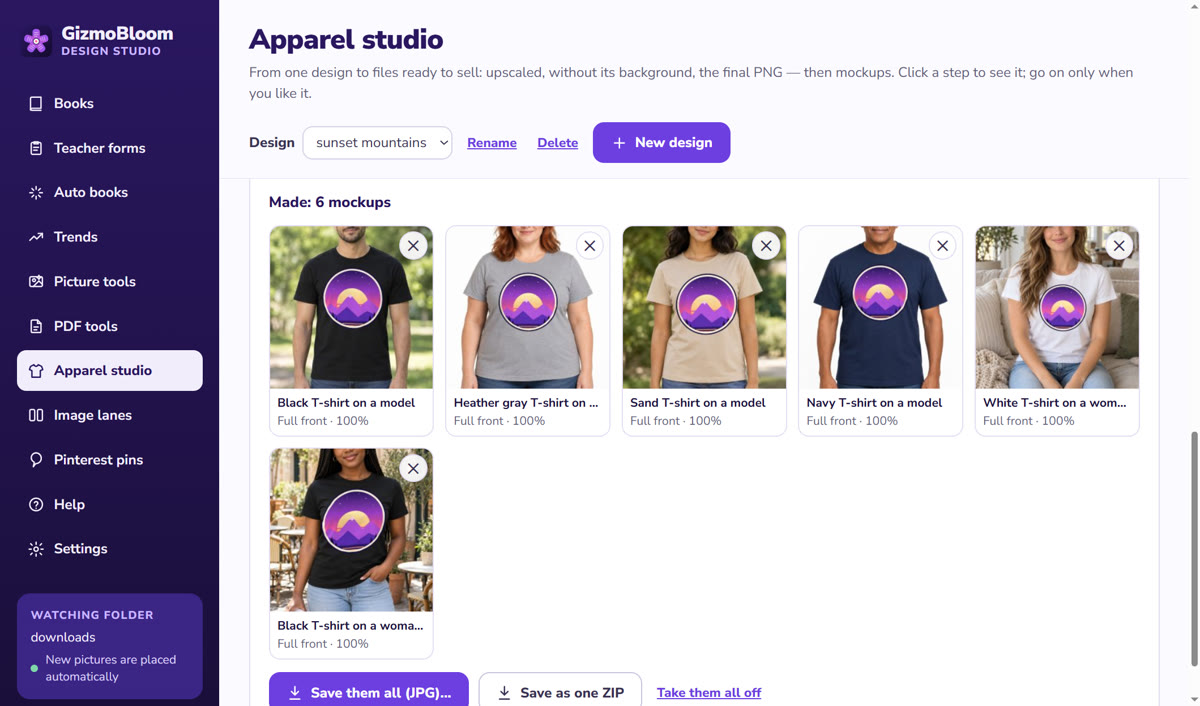
- A T-shirt, mug or tote: the design and 4 to 6 mockups, on models or in real places.
- A printable: the first page, a filled-in example and the pack's cover.
These pictures do two jobs: one becomes the reference for the AI scene (step 3), and the others fill the middle of the ad (step 6).
2. Plan one short scene
The scene is the first 2 or 3 seconds of the ad: the moment that makes someone stop scrolling. Plan one scene, not a whole film. A good scene answers three questions:
- Who uses the product: a child, a parent, a teacher, a crafter.
- Where: a kitchen table, a classroom, a park, a cozy sofa.
- The moment: coloring the first page, opening the parcel, wearing the shirt for the first time.
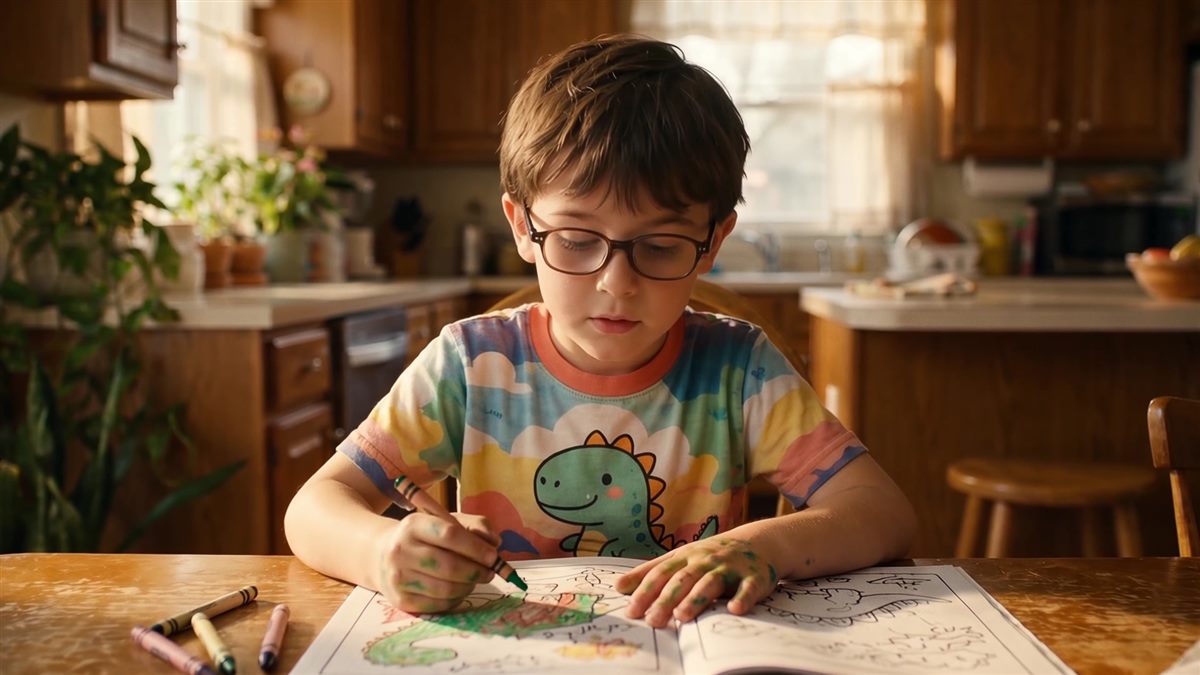
Some ideas: a child coloring your dinosaur book at the kitchen table; a teacher handing out your worksheets; a seller holding your book in front of the shirts with the same design. Make it vertical (9:16), the size TikTok, Reels, Shorts and Pinterest show full screen.
3. Make the scene picture
Make a still picture first and the video second: a picture is quick to redo, and a video costs more. In Higgsfield:
- Open Image and choose a picture model.
- Add your product picture as a reference, so the scene shows your design and not a random one.
- Choose the 9:16 size.
- Describe the scene in one or two plain sentences, then generate 2 to 4 versions and keep the best one.
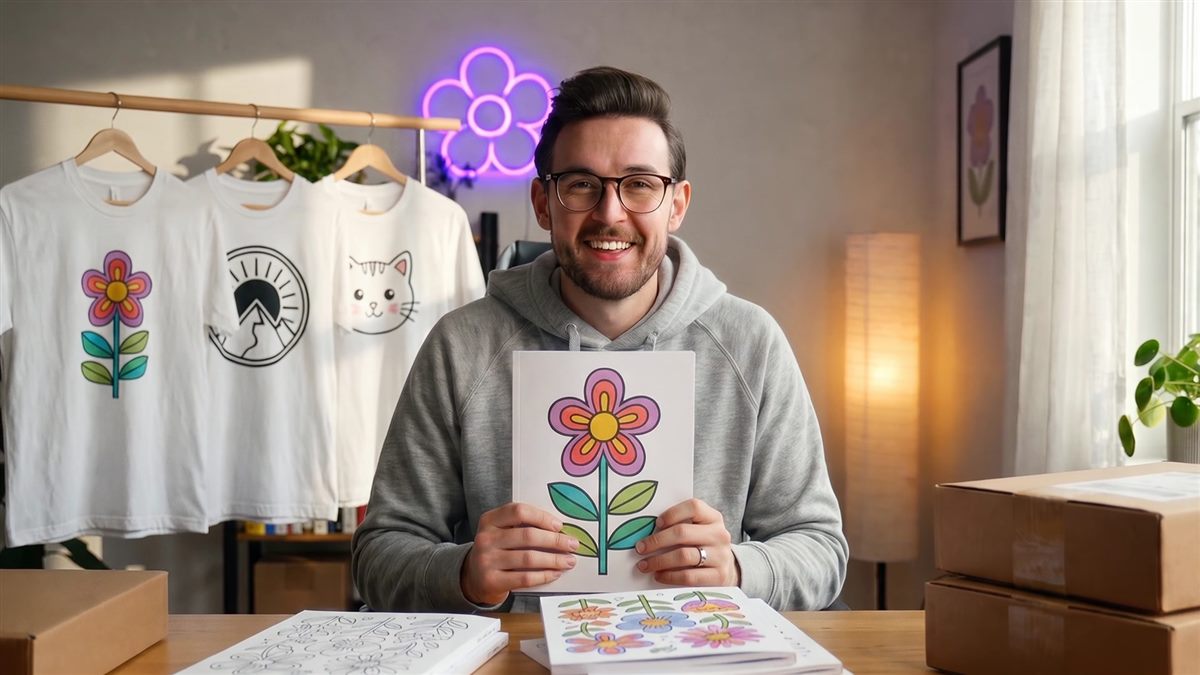
Example: A smiling seller at a wooden desk holds this coloring book toward the camera. Behind him, white T-shirts with his designs hang on a rail. Soft morning light, real photo.
Change one thing at a time when you redo it: the place, the light or the person's action. The scenes on this page come from our own YouTube video, so they are wide (16:9): for TikTok and Reels, choose 9:16.
4. Check every detail
AI pictures look right at first sight and wrong at second sight. Before you make the video, look at the picture full size:
- Hands and fingers: five per hand, holding things the way people do.
- Text: AI writing is often nonsense. Leave titles out of the scene and add them in the edit.
- Your product: the right colors and the right design. Small lines come out blurred: in this picture, the pages of the book are smudges.
- Logos and characters: no brand logos, no famous characters, no real people's faces.
- The room: things that float, melt into each other or make no sense.
That blur is why step 6 puts your real pages on screen. The scene sets the mood, and your own pictures show what the buyer gets.
5. Turn the picture into a 5-second video
This is called image-to-video: your picture becomes the first frame, and the AI makes it move. In Higgsfield, open Video, choose a video model, add your picture as the start frame and describe the movement.
- One action and one camera move: "The boy colors the dinosaur with a green crayon. The camera moves slowly closer." Several actions in 5 seconds come out rushed.
- 5 seconds is enough: the scene is only the start of the ad.
- 720p first: try the idea at 720p and only pay for 1080p when it works.
- No sound: add a sound later in TikTok or Reels, where trending sounds are licensed for you.
What it costs: Higgsfield works with credits, and a video uses far more credits than a picture. On our account in October 2026, a 5-second vertical clip without sound cost 35 credits at 720p and 80 credits at 1080p with the Seedance 2.5 model. Prices and plans change, so check them on Higgsfield before you start.
6. Build the ad
A product ad of 15 to 30 seconds has three parts:
- The hook, 0 to 3 seconds: your AI scene, with a short title on top, like "Rainy day? 50 dinosaurs to color".
- The product, 3 to 12 seconds or more: your real cover and pages turning, or the shirt on several models, with one short caption each.
- The end card, last 2 seconds: where to buy: "On Amazon", "Instant download on Etsy" or "Link in bio".
Any video editor works: CapCut, the TikTok or Instagram editor, or a free desktop editor. Put the words high in the picture: the bottom of the screen is covered by the app's buttons and captions.
The product part is the one you'll make most often, so make it fast. GizmoBloom's product video maker makes it in one click from your book's pages or your mockups, with the title, captions and end card: add your AI scene in front of it and the ad is done.
7. Follow the AI and platform rules
- Label AI video. TikTok, YouTube and Instagram ask you to label realistic video made with AI. Use the AI-generated content switch on TikTok, answer "Yes" to the altered or synthetic content question in YouTube Studio, and turn on the AI label on Instagram and Facebook.
- No fake customers. An AI person must never pretend to be a real buyer, give a review or show results that didn't happen.
- No brands or famous characters. Not in the scene, not on the T-shirts, not in the title.
- The Etsy listing video shows the real item. Etsy plays 5 to 15 seconds without sound among your listing photos. Use the product part there and keep the AI scene for social media.
- Use a paid plan for anything you post. Higgsfield's help center says you own what you make and that its terms do not restrict commercial use, and paid plans download without a watermark. See who owns your generations.
- Your own pictures stay yours to check. The designs and pages in the ad must be ones you are allowed to sell.
8. Post, test and keep the winner
One ad tells you little. Make three versions that change only the first scene, for example the child, the parent and the seller, and keep everything after it the same. Post them a few days apart on the same account.
- Compare how many people watched past the first 3 seconds: that is the hook doing its job.
- Compare the clicks to your listing: that is the product part and the end card doing theirs.
- Keep the winning scene and make the next product's ad the same way.
The same vertical video works as a TikTok, a Reel, a YouTube Short and a Pinterest video pin. Add your title, a description with your keywords and the link to your listing.
The faster way with GizmoBloom
GizmoBloom makes everything the ad needs except the AI scene, on your own computer:
- Coloring and activity books with their KDP cover, and T-shirt mockups on models or in real places.
- The product video: 15 or 30 seconds, 1080 × 1920 MP4, made from those pages or mockups in one click.
- The title, captions and end card for Amazon, Etsy, TPT or your own shop.
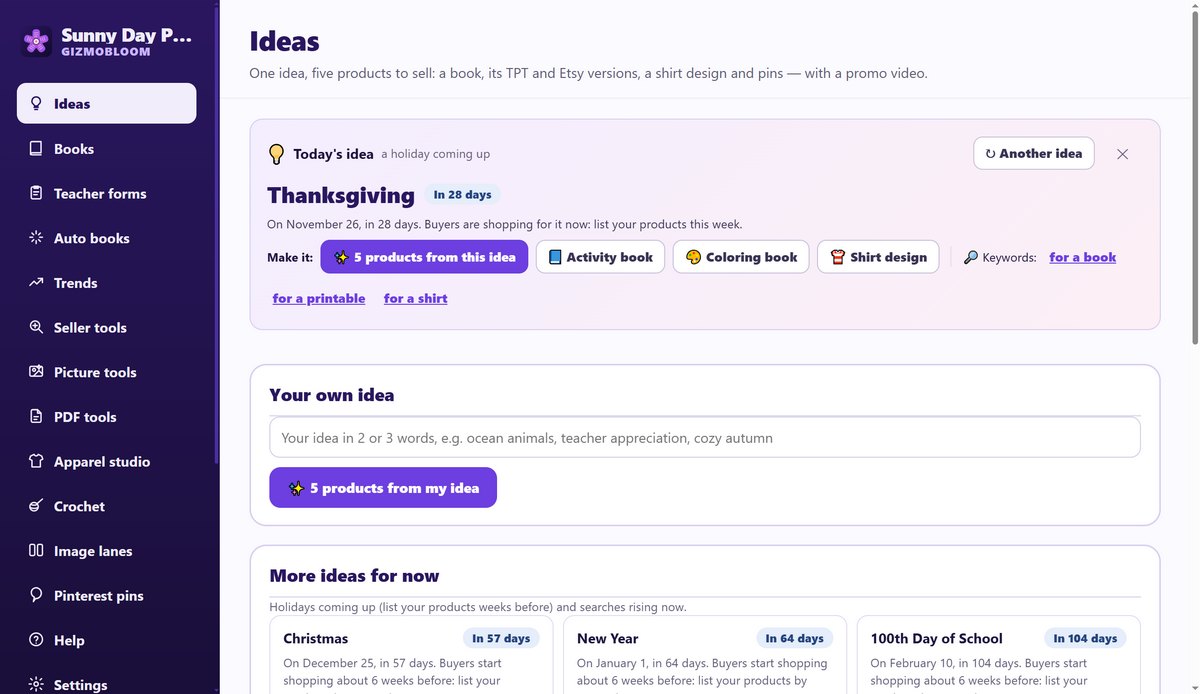
- The "1 idea → 5 products" window, which ends with the video.
Then Higgsfield adds the scene that makes people stop.
Questions about AI video ads
How do I make a video ad with AI?
Make a picture of a person using your product with an AI image tool, using your product picture as a reference. Turn it into a 5-second clip with image-to-video. Then add your real product pictures and an end card that says where to buy, and label the video as AI-made when you post it.
Can I make a product video from one picture?
Yes: that is image-to-video. The picture becomes the first frame and the AI adds the movement you describe. One action and one slow camera move in 5 seconds gives the cleanest result.
Can I sell or advertise with videos made on Higgsfield?
Higgsfield's help center says you own your outputs and that its terms do not restrict commercial use. Paid plans download without a watermark, so use a paid plan for anything you post, and make sure your own designs in the video are yours to sell.
Do I have to say that my video was made with AI?
For realistic AI video, yes: TikTok, YouTube, Instagram and Facebook ask you to label it, and each has a switch or question for it when you post. Never present an AI person as a real customer.
Can I use an AI video as my Etsy listing video?
Use your real product there. Etsy plays 5 to 15 seconds without sound among your listing photos, and buyers expect to see what they will get. Keep the AI scene for TikTok, Reels, Shorts and Pinterest.
How do I promote a KDP coloring book with video?
Post a short vertical video on TikTok, Reels, YouTube Shorts and Pinterest: an eye-catching first scene, then the cover and pages turning, then "On Amazon" or "Link in bio". Make one for each book and post regularly.
How much does an AI video ad cost?
The editing can be free. The AI scene costs credits: on our account in October 2026, a 5-second vertical clip cost 35 credits at 720p and 80 at 1080p. Make the still picture first and test at 720p, so you only pay for scenes that work.
How long should a product video ad be?
15 to 30 seconds for TikTok, Reels and Shorts, with the hook in the first 3 seconds. On Etsy, the listing video plays for 5 to 15 seconds.
Make your products and their videos
Try every GizmoBloom feature for 3 days, no card needed. Files made during the trial carry a small SAMPLE mark. Plans start at $14.99 a month.
More guides: make a KDP coloring book, make a KDP puzzle book and bulk upload pins to Pinterest. All guides →